書軒老師有提到如果更換主機版時,網卡更換,在drbl server時可不可以不要重做drblpush -i,因為要等一段時間?結果書軒老師自已測出來,只要去改/etc/drbl/HOST_MAC_TABLE檔案裡面的mac資料和/etc/dhcp/dhcpd.conf裡的mac資料,即可。
依據書軒老師的做法,這幾天研究了一下寫了一個sh協助改資料,讓使用者可以不用進入文字介界即可完成更換
下載sh:
https://docs.google.com/file/d/0Bz6-J_NwALFBTWNLc2JfUHgxWUE/edit?usp=sharing
更權限
chmod +x drblchmac.sh
執行:
sudo -s
bash drblchmac.sh
輸入舊的網卡mac
輸入新的網卡mac
完成設定。
重新啟動drbl server
drbl-all-service restart
在執行過程中會顯示/etc/drbl/HOST_MAC_TABLE資料內容。
會自動備份
/etc/drbl/HOST_MAC_TABLE
/etc/drbl/macadr-eth0.txt
/etc/dhcp/dhcpd.conf
成為檔名_日期_時間
2013年9月21日

2013年7月8日
Android app 開發工具 ADT 於ntpc ezgo
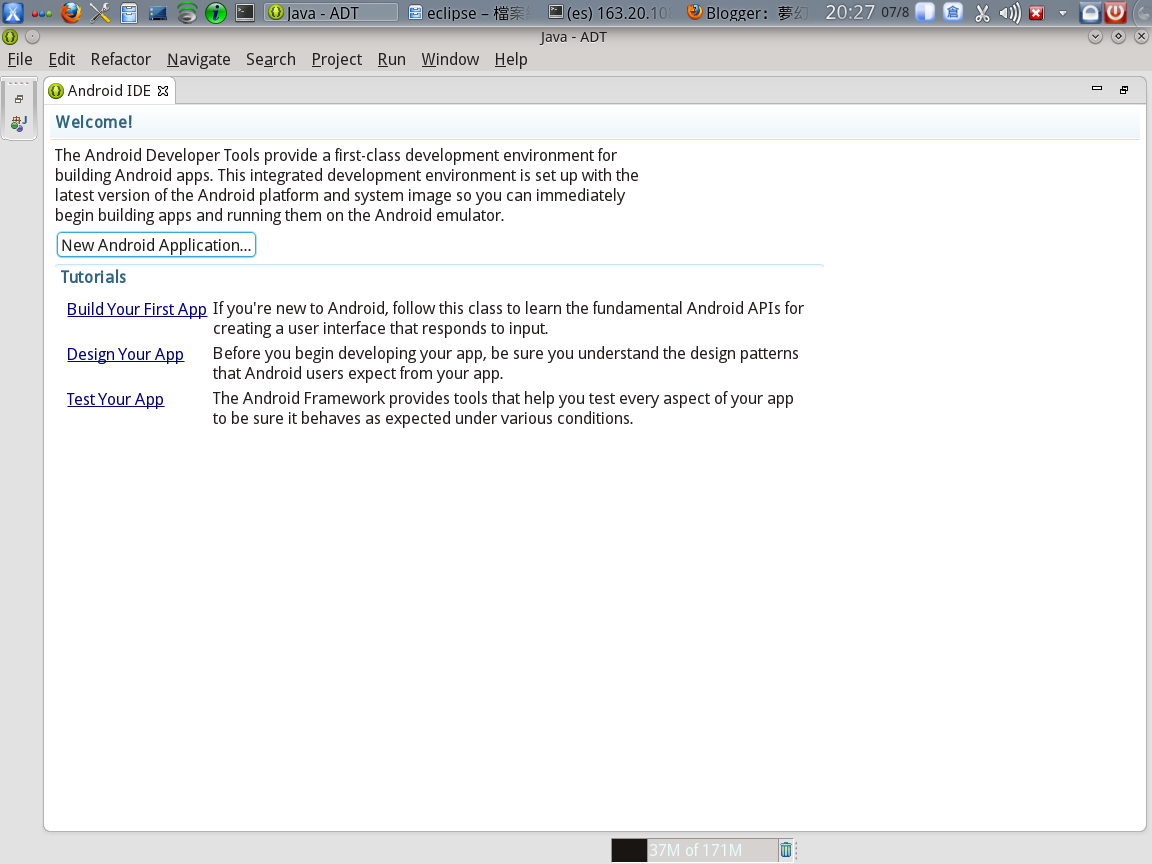
今天學Android app程式設計,使用的工具是ADT,看了一下網站,有在linux下的程式,回來在ntpc 64位元下試安裝一下,超級順的。
1.下載ADT:
http://developer.android.com/sdk/index.html
2.找到linux 64位元
http://dl.google.com/android/adt/adt-bundle-linux-x86_64-20130522.zip
3.解壓縮到家目錄
1.下載ADT:
http://developer.android.com/sdk/index.html
2.找到linux 64位元
http://dl.google.com/android/adt/adt-bundle-linux-x86_64-20130522.zip
3.解壓縮到家目錄
4.到家目錄下的adt-bundle-linux-x86_64-20130522/eclipse/資料夾中,執行eclipse
就完成了
5.老師的講義資料在
下的Android Programming
相當順利執行。

2013年7月4日
ntpc作業系統 安裝motoduino
1.下載arduino for linux 64位元http://arduino.googlecode.com/files/arduino-1.0.5-linux64.tgz 放置於家目錄
2.解開後在家錄錄中會有一個arduino-1.0.5資料夾。
motoduino使用手冊
http://www.motoduino.com/phocadownload/arduino/motoduino_manual.pdf
安裝需要套件
sudo apt-get install gcc-avr avr-libc
http://seaside.citilab.eu/S4A15.deb
安裝S4A15.deb
下載framework
https://sites.google.com/site/createyourowns/shi-yong-shou-ce/shi-yongmotoduino
S4A15moto.image
S4A15motoduino.ino
把 S4Amoto.imagee放到s4a的目錄中/usr/lib/s4a
sudo mv /usr/lib/s4a/S4A.image /usr/lib/s4a/S4A-1.image
sudo cp S4A15moto.image /usr/lib/s4a/S4A.image
用arduino把S4Amotoduino.ino寫入motoduino中
用最高權限進入家目錄中的arduino資料夾(arduino-1.0.5),執行arduino檔案
File/Open打開S4A15motoduino.ino
選擇[Tools]/[Board]/選擇[Arduino Duemilanove w/ ATmega328 ]

選擇[Tools]/[Serial Port] 選擇/dev/ttyUSB0
按下向右按鈕寫入motoduino板子中。
用最高權限執行s4a(沒有用最高權限有的機器訊號會過不來)
2.解開後在家錄錄中會有一個arduino-1.0.5資料夾。
motoduino使用手冊
http://www.motoduino.com/phocadownload/arduino/motoduino_manual.pdf
安裝需要套件
sudo apt-get install gcc-avr avr-libc
http://seaside.citilab.eu/S4A15.deb
安裝S4A15.deb
下載framework
https://sites.google.com/site/createyourowns/shi-yong-shou-ce/shi-yongmotoduino
S4A15moto.image
S4A15motoduino.ino
把 S4Amoto.imagee放到s4a的目錄中/usr/lib/s4a
sudo mv /usr/lib/s4a/S4A.image /usr/lib/s4a/S4A-1.image
sudo cp S4A15moto.image /usr/lib/s4a/S4A.image
用arduino把S4Amotoduino.ino寫入motoduino中
用最高權限進入家目錄中的arduino資料夾(arduino-1.0.5),執行arduino檔案
File/Open打開S4A15motoduino.ino
選擇[Tools]/[Board]/選擇[Arduino Duemilanove w/ ATmega328 ]

選擇[Tools]/[Serial Port] 選擇/dev/ttyUSB0

按下向右按鈕寫入motoduino板子中。
用最高權限執行s4a(沒有用最高權限有的機器訊號會過不來)
2013年6月26日
italc1.0.3設定檔產生sh
為了可以快速產生italc1.0.3學生端電腦(注意:只適合italc1.0.3),自己寫了一個sh,有需求者自取。
下載點:
https://drive.google.com/file/d/0Bz6-J_NwALFBQjItTFgtb3J4eVU/view?usp=sharing使用方法:
1.教師機需先安裝drbl,或者有學生端電腦的mac檔。
2.把下載的檔案改成可執行檔(不需要最高權限)
chmod +x mkitalcset.sh
3.執行方式(不需要最高權限)
bash mkitalc2set.s /etc/drbl/macadr-eth0.txt
說明:這支程式會在使用者家目錄中的.italc資料夾中,產生Globalconfig.xml,過程中會問一個開始IP。


下載點:
https://drive.google.com/file/d/0Bz6-J_NwALFBQjItTFgtb3J4eVU/view?usp=sharing使用方法:
1.教師機需先安裝drbl,或者有學生端電腦的mac檔。
2.把下載的檔案改成可執行檔(不需要最高權限)
chmod +x mkitalcset.sh
3.執行方式(不需要最高權限)
bash mkitalc2set.s /etc/drbl/macadr-eth0.txt
說明:這支程式會在使用者家目錄中的.italc資料夾中,產生Globalconfig.xml,過程中會問一個開始IP。


訂閱:
文章 (Atom)